

Java programmers have two popular choices for a Java Development Kit (JDK), also generically known as a Software Development Kit (SDK):
- # Open JDK (the default, usually installed using Linux package managers)
- # Oracle's JDK
JDK Package Installation:
- Red Hat/Fedora/CentOS:
- yum install java-1.8.0-openjdk.x86_64 java-1.8.0-openjdk-devel.x86_64 java-1.8.0-openjdk-javadoc
Server only, no GUI: yum install java-1.8.0-openjdk-headless.x86_64 - yum install java-1.7.0-openjdk.x86_64 java-1.7.0-openjdk-devel.x86_64 java-1.7.0-openjdk-javadoc
Server only, no GUI: yum install java-1.7.0-openjdk-headless.x86_64 - yum install java-1.6.0-openjdk.x86_64 java-1.6.0-openjdk-devel.x86_64 java-1.6.0-openjdk-javadoc
- yum install alternatives (need this to select the default if installing more than one version of java)
JAVA_HOME can be set to /usr/lib/jvm/java-1.x.0-openjdk-1.x.0.0/ or /usr/lib/jvm/java-1.x.0-openjdk-1.x.0.0.x86_64/ for the 32 bit and 64 bit JDKs respectively.
PATH can be set: export PATH=$PATH:/usr/lib/jvm/java-1.x.0-openjdk-1.x.0.0/bin/ or export PATH=$PATH:/usr/lib/jvm/java-1.x.0-openjdk-1.x.0.0.x86_64/bin/ for the 32 bit and 64 bit JDKs respectively. - yum install java-1.8.0-openjdk.x86_64 java-1.8.0-openjdk-devel.x86_64 java-1.8.0-openjdk-javadoc
- Ubuntu/Debian:
- 64 bit: apt-get install openjdk-7-jdk openjdk-7-jre-headless
- 32 bit: apt-get install openjdk-7-jdk:i386 openjdk-7-jre-headless:i386
To change the default when multiple versions have been installed: sudo alternatives --config java
and select the version you which to be the default. The various versions are designed to cohabitate on a single system.
Oracle has various bundled Java packages available for download: Java Standard Edition (SE), Java Runtime Environment (JRE), Software Development Kit (SDK), EE (Enterprise Edition), JavaFX, Netbeans (IDE) or just the bundle: Java SE and JDK development kit, used in this example. Note that the Java Runtime Environment (JRE) by itself is not for software development but only a JVM to run Java applications.
Download Java "Standard Edition" (SE) Software Developers Kit (SDK).
The Java "Enterprise Edition" with Glassfish application server is also available for Java web services development.
The installation of multiple versions of Java on different machines will require a ".bashrc" file which can locate the appropriate CLASSPATH.
Example file: $HOME/.bashrc.. ... # # Java # if [ -d /opt/java/latest ] then PATH=/opt/java/latest/bin:$PATH export JAVA_HOME=/opt/java/latest export CLASSPATH=/opt/java/latest/lib/tools.jar:./ elif [ -d /opt/java/jdk1.6.0_01 ] then PATH=/opt/java/jdk1.6.0_01/bin:$PATH export JAVA_HOME=/opt/java/jdk1.6.0_01 export CLASSPATH=/opt/java/jdk1.6.0_01/lib/tools.jar:./ elif [ -d /usr/java/jdk1.6.0 ] then PATH=/usr/java/jdk1.6.0/bin:$PATH export JAVA_HOME=/usr/java/jdk1.6.0 export CLASSPATH=/usr/java/jdk1.6.0/lib/tools.jar:./ elif [ -d /usr/lib/jvm/jre-1.4.2-sun/bin ] then PATH=/usr/lib/jvm/jre-1.4.2-sun/bin:$PATH export JAVA_HOME=/usr/lib/jvm/jre-1.4.2-sun export CLASSPATH=/usr/lib/jvm/jre-1.4.2-sun/lib/tools.jar:/usr/lib/jvm/jre-1.4.2-sun/lib/rt.jar:./ fi ... ..Where the following soft link is typical: ln -s /opt/java/jdk1.6.0_01 /opt/java/latest
Must include "./" in CLASSPATH. This is necessary in 1.4.x and later.
Note that admins often likes to preserve a common path between systems and the path /opt/java/latest or /usr/java/latest is chosen as a default for all systems. It is then often common to generate soft links to wherever the JDK resides. Eg when using the RHEL OpenJDK:
ln -s /usr/lib/jvm/java-1.7.0-openjdk.x86_64/jre /opt/java/latest
Java SDK 1.6:
There is a choice of running 32 bit Java on a 32 bit or 64 bit Linux platform or running 64 bit Java on a 64 Linux bit platform.
There are three options offered for the download:
- compressed tar file: jdk-7u4-linux-x64.tar.gz
Install:- cd /opt/java
- tar xzf ~/Downloads/jdk-7u4-linux-x64.tar.gz
This creates: /opt/java/jdk1.7.0_04/...
- self extracting binary RPM jdk-6u17-linux-x64-rpm.bin
Install:- Allow permissions to execute the binary package: chmod +x jdk-6u17-linux-x64-rpm.bin
- Execute the binary package: ./jdk-6u17-linux-x64-rpm.bin
- Creates RPMs:
- jdk-6u17-linux-amd64.rpm
- sun-javadb-common-10.4.2-1.1.i386.rpm
- sun-javadb-core-10.4.2-1.1.i386.rpm
- sun-javadb-client-10.4.2-1.1.i386.rpm
- sun-javadb-demo-10.4.2-1.1.i386.rpm
- sun-javadb-docs-10.4.2-1.1.i386.rpm
- sun-javadb-javadoc-10.4.2-1.1.i386.rpm
- Installs RPMs to:
- /usr/java/jdk1.6.0_17
- /etc/.java/.systemPrefs
- /etc/init.d/jexec
- Derby Database support installs to: /opt/sun/javadb/
Note: all of the sun-javadb RPMs are related to Derby, the all Java database.
- self extracting binary bundle jdk-6u17-linux-x64.bin
This unpacks to a local directory ./jdk1.6.0_17/
Do this in directory /usr/java to get a similar installation to the RPM result /usr/java/jdk1.6.0_17
64 bit Workstation Tip: This option of installing the bundle to a directory of your choice is my preferred installation method for 64 bit Linux workstations as it allows me to install both a 32 bit version and a 64 bit version of Java. On 64 bit Linux Workstations it is typical to use a 32 bit browser which is compatible with the 32 bit Adobe Flash plug-in. Also, only the 32 bit version of Java offers a browser plug-in for applet support.
Install to:- 64 bit Java: /usr/java/64/... (or /opt/java/64/...)
- 32 bit Java: /usr/java/... (or /opt/java/...)
On 64-bit Linux platforms the 32-bit JDK and 64-bit JDK cannot co-exist when installed from the RPM bundles. One must install one or the other but not both RPMs. You can install as many versions of the ".bin" bundle into distinct directories.
Install:
chmod +x jdk-6uxx-linux-xxxx-rpm.bin
./jdk-6uxx-linux-xxxx-rpm.bin
...
This is where you agree to their license. Press the space bar to scroll down in "More".
Do you agree the the above license terms? [yes or no]
yes
...
Hit the space bar to scroll through the agreement or press the letter "q" to skip ahead.
Test program: HelloWorld.java
public class HelloWorld
{
   public static void main(String[] args)
   {
      System.out.println("Hello world");
   }
}
Compile: javac HelloWorld.java
(or /usr/java/latest/bin/javac HelloWorld.java)
Note that the file name and the class name are the same. This became a
requirement back in SDK 1.4. The result of the compile is the file:
Test.class
Run:
[prompt]$ java HelloWorld
Hello world
(or /usr/java/latest/bin/java HelloWorld)
[Potential Pitfall]:
Red Hat Enterprise Linux and other Linux systems which install GNU Java may find that this conflicts with the Sun Java installation.
You may have to remove this (for example RHEL4):
rpm -e java-1.4.2-gcj-compat-1.4.2.0-27jpp java-1.4.2-gcj-compat-devel-1.4.2.0-27jpp.noarch
The newer RHEL5 uses OpenJDK and is a valid Java distribution based on Java 1.6.0.
Install: yum install java
The Java SDK includes the following commands:
- javac: Linux Java compiler (i.e. javac program-name.java)
- java: Byte code interpreter / Java program launcher. (i.e. java program-name Do not include ".class" extension.)
Test version: java -version - appletviewer: Views Java applet embedded in html file. (appletviewer myfile.html)
- javaws: Java Web Start application manager. Java application handler for browser.
(Also see YoLinux Mozilla configuration tutorial) - javadoc: Generate API documentation from tagged comments.
- javah: Creates C header and stub files for Java class.
- javap: Java file disassembler
- jdb: Java debugger
- jar: JAR archive file generation tool.
- JDK Tools and Utilities: Full list of tools and information.
While files may be compiled using the command "javac", applications can quickly become too large and unwieldy for individual command line operations. Apache ANT is a Java build tool to compile and generate Java applications.
File: build.xml (example to build the previous HelloWorld example)
<?xml version="1.0" encoding="utf-8"?>
<project name="HelloWorld" default="run" basedir=".">
        <description>Builds and runs the application HelloWorld.</description>
        <property name="home" value="." />
        <path id="classpath">
                <pathelement location="./" />
        </path>
        <target name="compile" description="Compile Java source files">
                <javac destdir="." debug="on" includeAntRuntime="false">
                        <src path="." />
                        <classpath refid="classpath" />
                </javac>
        </target>
        <target name="run" depends="compile" description="Run the application">
                <java classname="HelloWorld" fork="true">
                        <classpath refid="classpath" />
                </java>
        </target>
</project>
Run:
[prompt]$ ant
Hello world
Optionally one may generate a JAR (Java Archive) file as a methodology for releasing an application.
File: build.xml (example to build a JAR file for the previous HelloWorld example)
<?xml version="1.0" encoding="utf-8"?>
<project name="HelloWorld" default="run" basedir=".">
        <description>Builds a jar file and runs it.</description>
        <property name="home" value="." />
        <property name="build.dir" value="classes" />
        <path id="classpath">
                <pathelement location="${build.dir}" />
        </path>
        <target name="compile" description="Compile Java source files">
                <mkdir dir="${build.dir}">
                <javac destdir="${build.dir}" debug="on" includeAntRuntime="false">
                        <src path="." />
                        <classpath refid="classpath" />
                </javac>
        </target>
        <target name="jar" depends="compile" description="Generate the JAR file">
                <jar jarfile="hello-world.jar">
                        <manifest>
                                <attribute name="Main-Class" value="HelloWorld" />
                                <attribute name="Class-Path" value="classpath" />
                        </manifest>
                        <fileset dir="${build.dir}" includes="**/*.classes" />
                </jar>
        </target>
        <target name="run" depends="jar" description="Run the application">
                <java classname="HelloWorld" fork="true">
                        <classpath refid="classpath" />
                </java>
        </target>
</project>
Run:
[prompt]$ ant
Hello world
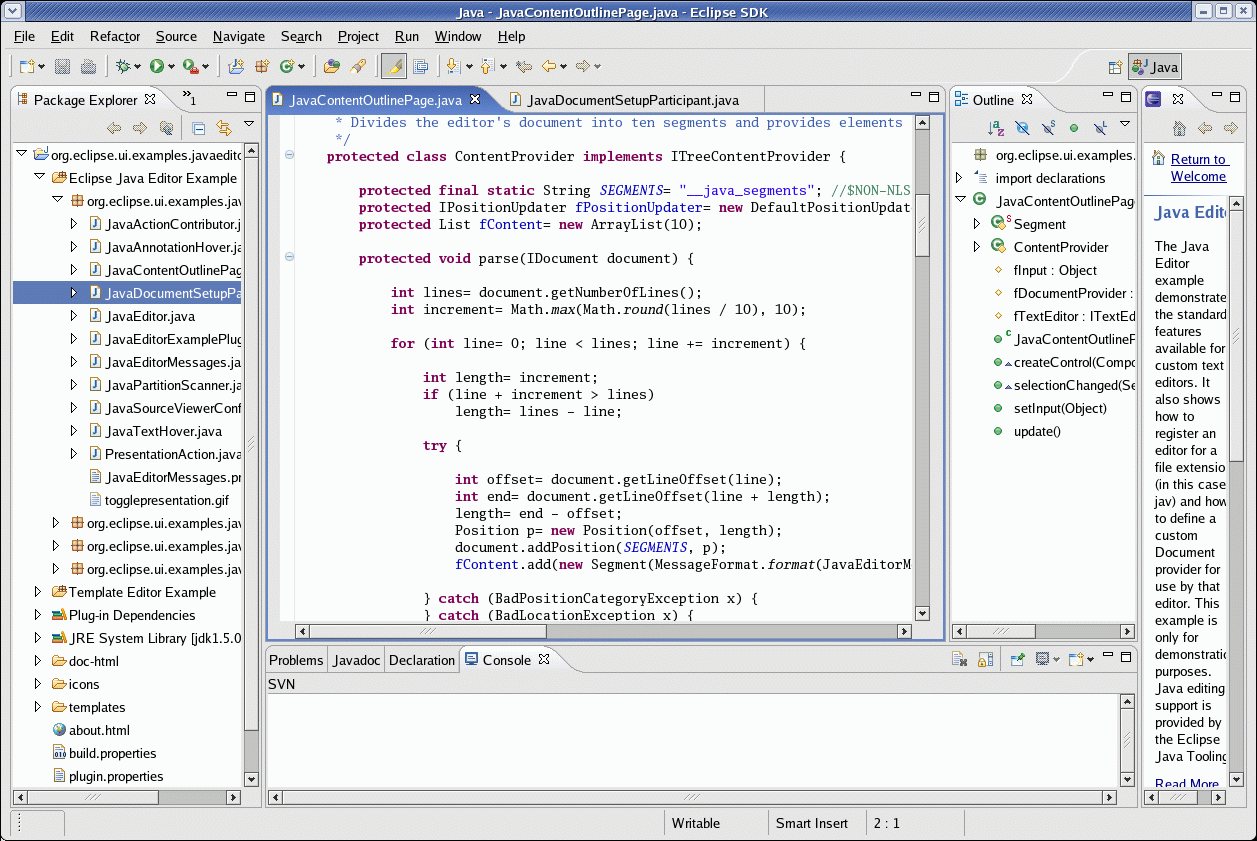
Edit and debug Java IDE tool with plug-ins
- Eclipse.org
- EclipsePluginCentral.com
- Maven build integration plug-in
- Subversion CM integration plug-in
- WSDL generator plugin for Apache AXIS
Typical installation is to /opt/
NetBeans IDE download - IDE for Java, Ruby, C++, PHP, GlassFish, Tomcat
NetBeans 5.0+ includes the Java Swing GUI builder Swing GUI builder (formerly Matisse) (Netbeans Gui building tutorial)
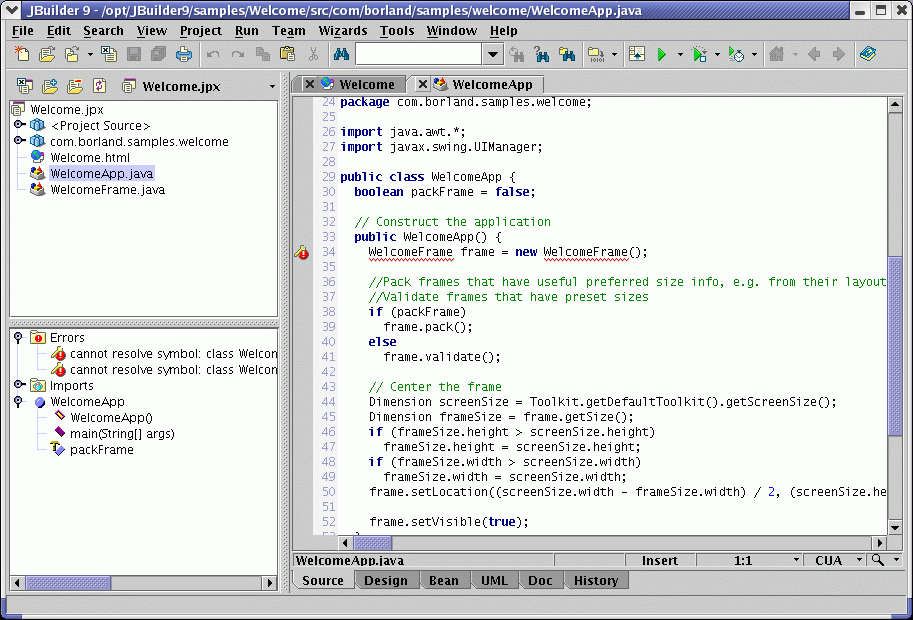
UML design, edit, test Java IDE tool
- Load JBuilder9 Enterprise CD 1
Note the /etc/fstab cdrom statement used below. This may have been altered when using CrossOver PC software installer as it may add "user,unhide," to the list of options and prohibit a JBuilder installation.:/dev/cdrom /mnt/cdrom iso9660 noauto,owner,kudzu,ro 0 0
[Potential Pitfall]: If the install script does not execute, it could be because of the way the CD was mounted.
- CD should automount. If not mount.
- cd /mnt/cdrom
- Execute the install script on the CD: ./install_linux
- Select "Borland JBuilder 9 Enterprise" and select all components
- Agree to license
- Select "Full Install"
- Set install path to /opt/JBuilder9
(no spaces allowed) - Select "Install" button.
- Select "Done" button.
- Terminate installer program. Select "X" in window corner.
- If using a FlexLM License, place license file in the following directory:
/opt/JBuilder9/defaults/license.dat
FlexLM License server info - Four desktop icons created:
- JBuilder: Start JBuilder 9
- Licensing Information: Obtain a trial license or register your single user license.
- JDataStore Explorer
- JDataStoreServer
Desktop icon launcher:
- Name: JBuilder9
- Command: /opt/JBuilder9/bin/jbuilder
- Icon: /opt/JBuilder9/bin/jbuilder_icon.xpm
Complete IDE for building applications, JSP/Servlets, JavaBeans[tm], Enterprise JavaBeans and distributed J2EE applications. Comes with AppServer and Visi-Broker (Visigenics CORBA broker). Supports UML, SOAP, UDDI, WSDL. (Linux, Solaris, Mac OS X and MS/Windows) Oracle also sells a version of JBuilder under the Oracle brand name.
Borland OptimizeitSuite Installation:
Optimizeit Suite, Profiler, Thread Debugger and Code Coverage- Load JBuilder9 Enterprise CD 2
- CD should automount. If not mount.
- cd /opt
- tar -xvzf /mnt/cdrom/linux/suite.tgz
This creates /opt/OptimizeitSuite55/... - Add FlexLM License: /opt/OptimizeitSuite55/lib/license.dat
Tools:
- /opt/OptimizeitSuite55/CCoverage
- /opt/OptimizeitSuite55/OptimizeIt
- /opt/OptimizeitSuite55/ProgressTracker
- /opt/OptimizeitSuite55/ThreadD
IDE: Commercial and Open Source. Various components are available as GPL'd software.
Other Java IDEs:
- BEA: Weblogic Workshop (Eclipse based) Full web services and Java development IDE.
- Oracle JDeveloper - Full IDE for Java and web services (WSDL, SOAP, ...) development.
- Freescale: CodeWarrior - Java and GNU C++ development
- JDEE - Java Development Environment for Emacs
- Visual-Paradigm - UML Tool Builder which interfaces with most of the other IDE's listed above.
Profiling code is the process of running instrumented code so that one can report on the behavior of the executing software with the intent of improving the performance of execution. Profiling tools will reveal what methods are being executed, how much time is spent executing the methods, what and how many objects have been invoked, how much memory they are using and other details of the execution behavior of the code.
Tools which come with the JDK:- java: The JVM has a built-in profiler which is activated with the command line argument "java -prof". This will generate a "java.prof" file in the runtime directory. Other tools can then be used to make sense of the data.
- jmap: Show memory use.
First list processes with jps to find the PID of the process you want to query.
Show object count for running process: jmap -histo:live 4172
Show heap: jmap -heap 4172
Help: jmap -h - jconsole:
- For Java 6: Start app, find the pid with the command: jps
and then issue the command: jconsole process-id - For Java 5 it requires use of JMX and thus it must be compiled in: java –Dcom.sun.management.jmxremote myprogram
Run JConsole: jconsole process-id
- For Java 6: Start app, find the pid with the command: jps
- jvisualvm: GUI and self explanatory. Allows you to select the running java process to monitor. Various tabs are available for related output.
List command options: jps -h
Open Source Profiling Tools:
- btrace: Compiled into your class files with the BTrace compiler: btracec to instrument your code. Text output only. Documentation
- eurekaj: Accepts and visualizes btrace output via a broker (EurekaJ proxy) which then sends results via JSON to the EurekaJ Manager.
- JProfiler: GUI. JEE, database and thread profiling.
JVM/JDK: Java Virtual Machines (JVM) and Software Development Kits (SDK)
- Oracle's Java - Java Linux SDK (32 and 64 bit).
- HotSpot virtual machine - Oracle's ubiquitous JVM (for Linux). Included with JDK.
- Jikes - Open Source Project
- IBM Linux JDK
- Excelsior JET: Java SE (Standard Edition) - J2SE 1.4.0 JVM for Linux and Windows on Intel-32. Ahead of time compilation and caching JIT.
- SableVM - JVM. Clean-room implementation. LGPL
- Kaffe.org: Kaffe is a GPL clean room implementation of the Java virtual machine
- Oracle/BEA: JRockit
- Embedded:
- Kada Systems - Their virtual machine is for PALM and wireless portable devices but their development environment is on Linux (1st Q 2002)
- Aonix Inc.: PERC - JVM for embedded Linux applications. Support for JBuilder.
- Aplix Corp: JBlend - Embedded mobile phone JVM. Popular.
- Oracle: JRockitVM performance virtual machine
- Language Extensions:
- Apache AspectJ - seamless aspect-oriented programming (AOP) extension to the Java
Java Build Tools:
- Apache.org: ANT - Java-based build tool (like Make)
See example ANT build file - Apache.org: Centipede - Project build system based on ANT
- Apache.org: Maven - manage a project's build, reporting and documentation. Based on POM (Project Object Model)
Java Tools:
- Quest: JProbe - Profiler, Debugger, Threadalyzer. Supports Blackdown, Oracle, IBM JDK's
- Quest: JClass - Java components (Tables, charts, graphics, database front-ends, text fields) Supports Borland, IBM Visual Age, SUN IDE's and Netscape/Explorer browsers
- Micro Focus: DevPartner - Distributed application, memory, performance, code coverage and thread deadlock detection and analysis. Also supports Oracle PL/SQL and Java stored procedure applications.
- CodeMesh - A make Java and C++ work together product.
- SeaGullSoftware.com: LegaSuite - J2EE based, XML driven process execution and Workflow Automation framework which can be deployed on a multitude of J2EE servers.
Java Installers:
- cminstall - cross platform installers based on Java.
- OpenInstaller - framework for building cross platform installers.
- BitRock: Install Builder - generate an installer for any platform (MS/Windows, Linux, Unix, Mac, ...). RPM integration. Supports Java applications as well as support for many other languages.
- Install4j - multi-platform Java installer.
- Flexera: InstallAnywhere - Multi-platform Java software installation tool for software distribution. Includes JVM installation if necessary.
Java Source Code Review Tools:
- FindBugs finds errors not found by compiler syntax checking (list of bugs) See the YoLinux Jenkins - FindBugs integration and configuration tutorial
- PMD - Java, C++, Ruby, ...
- Checkstyle - adheres to a coding standards
- ThreadSafe - automatic and precise thread safety checker for Java classes
Java Test Tools:
- JUnit - Software development unit testing tool. See the YoLinux Java JUnit tutorial
- Apache.org: Gump - Continuous build and integration tool for Java. Interfaces with CVS or Subversion. Supports Ant and Maven. Will show which check-in breaks the build.
- Abbot - Java JUnit extension to support GUI test framework. Uses an AWT robot class to test code. (Review: Java Developer Journal Apr. 2003)
- Pounder.sourceforge.net - Utility for automating Java GUI tests
- Test Coverage Tools:
Test coverage tools report on which parts of the code were "covered" or executed during software test suite execution. Typical reports detail routines executed and a percentage of the code executed. Helps assess test reliability (how effective was the test in testing all of the code) and helps find dead code.- JaCoCo JAva COde COverage tool. Works at runtime. No need to instrument code or compile your code differently. Forked from Emma with a new architecture to support these new features.
I use JoCoCo with Jenkins with reporting supported by the Jenkins JoCoCo plugin.
Has Sonar, Jenkins and Eclipse plug-ins. See the YoLinux Jenkins and JaCoCo tutorial - EMMA - Coverage at line, block, method, class and package level.
- Cobertura
Has Sonar, Jenkins and Eclipse plug-ins. - Codecover
Has Eclipse plug-in. - Quilt.Sourceforge.net: JUnit-Quilt - Provides Code Coverage information off of a JUnit Unit Test. Statement and Branch coverage. Operates on Java Byte code.(Commercial)
- Clover - commercial code coverage tool.
Has Sonar, Jenkins and Eclipse plug-ins.
- JaCoCo JAva COde COverage tool. Works at runtime. No need to instrument code or compile your code differently. Forked from Emma with a new architecture to support these new features.
Simply put, Java servlets are like CGI in Java for the dynamic generation of web content. JSP is embedding Java in a web page which is processed by the servlet engine before being served.
- Apache Tomcat - Java solutions for the Apache web server. Servlet processing module which integrates with the Apache web server.
- Tomcat - Java Servlet and Java Server Pages
- YoLinux Tutorial: Apache, Tomcat, Java Servlets and a database
- Adobe/Macromedia: J-Run - Java Application Server (JSP, Servlets, EJB, Transaction and Messaging)
- Caucho Tech: Resin - Java servlet and JSP engine with load balancing. (commercial)
- JETTY - web server written in Java which provides servlet processing.
- cometd - httpd server written in Java. Support for servlets and event routing. Web framework for push to browser technology.
- JBoss - Open Source Enterprise JavaJ2EE application server. Bundles Tomcat app engine, HornetQ message queue, Hibernate (Db interface), Business Rules Management System (BRMS), SOAP SOA services, HSQL database, SEAM (AJAX, JSF, JPA, EJB, BPM, ...
- Apache.org: Geronimo - fully certified J2EE 1.4 application server.
- BEA Systems
- WebLogic - Enterprise Java Beans (EJB) and Java 2 Enterprise Edition (J2EE)
- Sun J2EE application server - For building enterprise-class server-side applications with Java. (EJB,JSF,SOA,JSP,JMS,CORBA,JDBC,XML,JNDI and servlets.
- Oracle Application Server - Supports SOAP, J2EE, etc.
- Java.net: GlassFish - open source Java EE 5 application server.
- Enhydra.org - Java Application J2EE/XML Server. Development sponsored by Lutris Technologies
- IBM WebSphere
- iPlanet Application Server - J2EE e-commerce platform.
- Orion - J2EE: EJB, Servlets, JSP, JTA, JNDI, JDBC, JMS, XML/XSLT. (Used by Oracle in their J2EE server)
- Aligo: M-1 server - Mobile Application Server. Built for J2EE end-to-end Java mobile application development. Supports Palm, WAP Phones, RIM pagers, Windows CE mobile devices. Supports WAP/WML, PQA HDML, Clipped HTML and Compact HTML. integrates with LDAP, PKI, EJB, XML, JDBC, JMS, CORBA. Requires Apache/Tomcat.
- Blazix - J2EE, SSL, EJB, JRMP, Servlets, JSP. (Commercial licensing available)
- Sybase: EAServer
- Apache:
- Spring Framework - J2EE application framework
- Terracotta - Clustered objects. Alternate JVM boot class path which loads code to synchronize specified Java objects between applications on distributed JVMs. Open source, commercially supported.
- Multiple Agent frameworks: (distributed agents)
- Cougaar.org: (BBN Technologies) Architecture to support distributed agent-based applications.
- Jack: (AOS Group) intelligent agent development environment scalable from PDAs to large systems
- Voyager: (Recursion software) multi-platform location engine from Recursion
- JTS: Java Topology Suite - GIS
(JTS: Java Topology Suite, PostGIS (PostgreSQL)) - Apache POI: Java API To Access Microsoft Format Files
- Apache.org: Derby - relational database implemented in Java.
- HSQLdb - Fast SQL relational database engine written in Java.
- Oracle/Berkeley open source embeddable Java database
DB and ORM API:
- iBATIS - Data mapping framework. Map DB records or results to/from a Java data access objects (DAO).
- Hibernate - EJB object/relational persistence and query service. Interfaces Java objects with database. YoLinux JPA Hibernate ORM tutorial
- Apache Commons: DBCP - database connection pool.
- Apache: Open JPA
- Apache: Cayenne (ORM)
- Oracle Toplink (like Hibernate)
- Apple WebObjects
Terms:
- ORM: Object Relational Mapping (mapping of Java objects to database storage schema)
- JPA: Java Persistence Architecture (JPA: Java Persistence API) API for ORM.
GlassFish: Java Persistence -

Data Exchange Formats:
- XML:
- Apache: XML Beans: Program to generate Java source code classes to parse and encapsulate XML based on an XSD schema file and populate a data class. Also generates code to generate XML from a Java data object. Released by BEA to open source community. (YoLinux.com XmlBeans tutorial)
- JAXB: Generates Java source code to parse and encapsulate XML. Similar to XmlBeans except that it maps XML to a specific JAXB object which reflects the schema of the XML. XmlBeans allows you to parse and then store or use the data however you would like.
Also see the YoLinux JAXB Tutorial - Java: JAXP: XML parser. Included in Java SE 1.6
- Piccolo: High speed XML parser implementing SAX and JAXP interfaces.
- Apache: Xerces2: XML parser
- Binary:
- Fast Infoset: terse, tight and light binary alternative format developed by Sun for data exchange when XML is too heavy. A more compact and efficient serialization than text-based XML format.
- Sun GlassFish implementation: JAX-WS Fast Infoset (~10X faster than Java marshaling XML through Xerces)
- W3C Fast Infoset standard
- C/C++ FI API
- C++ and C# FI API
- Fast Infoset: terse, tight and light binary alternative format developed by Sun for data exchange when XML is too heavy. A more compact and efficient serialization than text-based XML format.
- Non XML Formats:
The compiled code is not cross platform but use of cross platform GUI frameworks should make the source portable if coded well.
- SL.com - Sherrill - Lubinski SL-GMS -
[Applet demo]
Dynamic graphic GUI components and controls for real time interfaces and displays. Common ".m1" file graphic framework for C++ and Java. Graphic sources include Visio, bitmaps and DXF. Supports pan, zoom, drill-down and hyperlink capability. Supports input as well as displays. Low weight applets for good performance - Quest: JClass Delivered as separate class components to be integrated within ones program. Many are Bean components which can be dragged and dropped within a GUI IDE. Many configurable widgets.
- Genlogic.com: GLG - Dynamic, data driven visual components. Must use GLG monolithic super class framework within your application. Widgets are used within their class framework. Includes many widgets. Strong support of widgets for process control displays.
- ILog.com: JViews - Diagramming and data graphing capabilities. Requires use of their super class framework. Few predefined widgets. (just graphs and layout) Developer must develop most widgets.
- Infragistics.com: JSuite - Access control (ACL), db connection pools, GUI components (calendars, explorer trees, editing components), charting (scatter, bar) Not all components were beans and thus would not integrate with IDE.
- INT.com: Java components - 2D and 3D data visualization.
- SWING - Sun GUI API (written using AWT)
- AWT - Java's primitive graphics layer.
- JavaFX - Sun Java GUI description language/presentation layer.
Java GUI's and interaction defined by an XML file. This allows for an infinitely flexible interface.
- CookSwing - extensive framework supporting AWT, Swing and Bean listeners.
- JGB - Extensible infrastructure and design. Shows promise for easily re-configurable GUI layouts.
- SwiXml - uses javax.swing. Tight code base.
- WidgetServer - unified GUI toolkit to support web AJAX as well as Swing interfaces.
- OpenLaszlo - web based UI development for J2EE or servlet containers. UI is AJAX HTML/Javascript or Flash for user interaction.
- Xoetrope: XUI - web or stand-alone applications
- Beryl XML GUI - Java Swing apps, J2EE client apps
- SwingML - web J2EE/servlet and AJAX
Topologies:
- client - server: e.g.:
- WWW: Web browser (client) to web server (server) connection. A
click on a web page invokes processing by the server which feeds a
response to the web browser.
Software: Apache web server and CGI - Servlets: A JVM used to process Java to perform CGI functionality.
Software:- Tomcat - Also see the YoLinux.com Tomcat Tutorial
- JRun: Adobe/Macromedia
- Any J2EE application server supports Servlets and so much more.
- Web Services:
- SOAP: client calls a remote process. The requested process and input arguments are encapsulated in XML and passed to the server. The server executes the requested function and passes the results back to the client encapsulated in XML.
- SOA: Service Oriented Architecture - key components of a SOA include services, dynamic discovery, and messages.
May integrate the following to locate and invoke the web service:- UDDI: Universal Description, Discovery, and Integration
- Find a web service, registry
Software: - WSDL: Web Services Description Language. - Locate the SOAP service and server
- SOAP - The Web services server.
Software:- Apache Axis2: SOAP and WSDL support. The Axis SOAP/WSDL engine servlet runs under Tomcat which is coupled with the Apache web server.
- Apache CXF: (was XFire) Web services programming framework: SOAP, WSDL, JAX, ...
- Also see lists above i.e. JBoss, BEA Weblogic, IBM WebSphere, Sun, Oracle Application server, ...
- UDDI: Universal Description, Discovery, and Integration
- Find a web service, registry
- CORBA: Compact binary transport over IIOP. May use a CORBA name server to locate services. Native Java support.
- Java RMI: Remote Method Invocation. Native Java support.
- WWW: Web browser (client) to web server (server) connection. A
click on a web page invokes processing by the server which feeds a
response to the web browser.
- peer to peer: Two systems or processes passing information between the two.
- JMS: Java Messaging Service. Supports publish-subscribe
communications framework. Subscription via callback methods provided by
the subscriber. ActiveMQ is often used as a communications bus for ESB.
JMS and other message queues:- Apache ActiveMQ
- Hermes JMS: Debugging tool to view and monitor JMS messages.
- Apache: QPID (AMQP)
- JMS: Java Messaging Service. Supports publish-subscribe
communications framework. Subscription via callback methods provided by
the subscriber. ActiveMQ is often used as a communications bus for ESB.
- Three tier architectures: J2EE (middleware)
J2EE Software:- GlassFish (Sun open source)
- Geronimo (Apache.org)
- JBOSS (Red Hat)
- IBM WebSphere
- BEA Weblogic
- ESB: Enterprise Service Bus - a collection of specialized
processes (may be distributed) integrated by a common infrastructure
which handles communication, interactions, interfaces, authentication, discovery
and any other needs of the service bus.
- BPEL: Business Process Execution Language - Workflow defined
in an XML schema, used to invoke web services in the proper order and
deliver the results.
BPEL Software: Apache ODE. (Note project Agila is retired.)
- OpenESB - includes an amazing NetBeans plugin
- Mule ESB
- Apache ESB: ServiceMix - Full functionality. Based on JBI spec. Uses Apache Camel internally.
- Apache ESB: Camel - Embeddable. Supports routing and mediation rules.
(Camel an ESB?) - Apache ESB: Synapse - Lightweight
- Sonic ESB (commercial)
- BPEL: Business Process Execution Language - Workflow defined
in an XML schema, used to invoke web services in the proper order and
deliver the results.
Most Cloud computing efforts are available as services purchased through vendors such as Amazon Web Services (EC2: Elastic Computing Cloud) or Google AppEngine.
Linux has support for Java binaries in the OS. You can execute
Java applications and Java Applets just like any other program once the
Java Runtime Environment
is loaded and the kernel configured.
See:
- Local document /usr/src/linux/Documentation/java.txt. A re-compile of the kernel is required.
- Also see the file /usr/src/linux/Documentation/proc.txt which discusses the /proc/fs/binfmt_misc file.
The Java Real-Time System (RTS) runs on the Linux Real-Time kernel. The "Red Hat Enterprise MRG" (Messaging Real-time Grid) is a set of over 50 RPMs which add or replace components of the "Enterprise Linux" release. It includes a real-time kernel, configuration and tuning utilities, performance monitoring tools and documentation. The Red Hat MRG Linux includes software based on the University of Wisconsin's Condor project for high throughput computing. The Red Hat MRG release includes QPID, the Apache group's implementation of the AMQP message queues which greatly improves messaging throughput vs traditional SOA technology.
- Sun Java RTS - Real-Time System -
Features the ability to schedule real-time threads, AOT (Ahead of Time Compile as opposed to JIT) to load classes before they are required so this action does not introduce an unexpected latency, and it includes the ability to perform deterministic garbage collection.
RTS runs on: - AMQP.org
Implementations:- Apache: QPID - Note: examples are installed to /usr/share/qpidc/examples/pub-sub/ and /usr/share/doc/rhm-0.2/cpp/pub-sub/
While Red Hat's PR states magnificent gains in speed (qpid 1.0), tests show that Apache ActiveMQ to be both faster and more reliable. - RabbitMQ
- Apache: QPID - Note: examples are installed to /usr/share/qpidc/examples/pub-sub/ and /usr/share/doc/rhm-0.2/cpp/pub-sub/
- Java RTS tutorials:
Dot NET calls to Java:
- IKVM: JVM in dot NET including dot NET versions of Java libraries. No support for Java GUI.
- JadCentral.com: Java Developers Central
- TheServerSide.com - EJB Patterns for J2EE applications.
- Java.net
- The Java Tutorial from Sun Microsystems
- Java 1.6 API docs (essential for programmers)
- JavaBeginner.com
- IBM Tutorials
- StudyJava.org
- Interactive Programming In Java - Lynn Andrea Stein (MIT)
- Java Passion
- Groovey - optionally typed and dynamic language, with static-typing and static compilation capabilities, for the Java platform.
- Scala - Object oriented meets Functional programming. Construct elegant class hierarchies for maximum code reuse and extensibility, implement their behavior using higher-order functions.
- Kotlin - a statically-typed programming language that runs on the Java Virtual Machine, developed by JetBrains (IntelliJ). Approved by Google for Android development.
- Closure - member of the Lisp family of languages. Supports multi-threaded programming, Functional Programming and Runtime Polymorphism.
- Jython - Python for the Java Platform
- JRuby - The Ruby Programming Language on the JVM
- Nashorn - Javascript engine implemented in Java provided by the Mozilla Foundation.
- Rakudo - Perl on the JVM
- Quercus on Resin commercial app server - PHP 5 compiled for the JVM
- Renjin - The R Language for statistical computing on the JVM
- Jacl - self-contained implementation of a Tcl interpreter, written entirely in Java. Jacl is typically used to incorporate Tcl scripting functionality into an existing Java application.
- JScheme - Scheme with a very simple interface to Java
- Jabaco - Compiles Visual Basic 6 source to Java byte code.
- Java.Sun.com - The official Sun Java site
- JavaWorld.com
- JAVABoutique.com - applets, applications and servlets.
- JGuru.com
- ObjectWeb.org - Open source middleware and Java software.
- Enterprise Java HOWTO - Gary Meyer
- Java CGI HOWTO - David H. Silber
- Linux on the Sun JavaStation NC HOWTO - Robert S. Dubinski
- Online Electronic Book: Thinking in Java
- JXTA - peer to peer applications framework - Sun open source project.
- Java SE security
- JPackage.org: RPM's of Java development tools
- Java Developer Magazine
Java EE Journal
Java Blackbelt - Java Community Process - Java standards development and release
News Groups:
Glossary:
- J2SE: Java 2 Standard Edition: Foundation for desktop, server, J2EE, web services, embedded and real-time applications
- J2ME: Java 2 Micro Edition
- J2EE: Java 2 Enterprise Edition: Server side and middleware. built upon J2SE. Web services, SOA, component model, management and communications API.
- JAXP: Java API for XML processing.
- JAXM: Java API for message processing.
- JAXR: Java API for XML based registry integration. Registration and discovery of web services.
- JAX-RPC: Java API for a remote procedure call interface.
- JAXB: Enables bindings between the XML schema and the Java object.
- JINI: Framework for advertising services on the local network. Discovery mechanism for systems to obtain and lease these services. See Apache river.
- JMX: Monitor distributed devices, applications and service driven networks.
- JVM: Java Virtual Machine - compiles Java byte code to machine code, then executes.
- SOAP: Simple Object Access Protocol.
- UDDI: Universal Description, Discovery and Integration. SOAP services discovery.
- WSDL: Web Services Description Language. Name service to locate SOAP service and its interface definition.
- XSLT: eXtensible Stylesheet Language Transformation. i.e. translates XML into renderable XHTML for viewing in a browser or translate XML to a format required for another application.
[Potential Pitfall]: If your Sun or IBM JVM doesn't work with RH 7.1? - [Solution]
 Books:
 |
"Core Java 2, Volume 1: Fundamentals "
by Cay S. Horstmann, Gary Cornell ISBN # 0132354764, Prentice Hall PTR 8th edition The industry standard. Need I say more? |

|
 |
"Core Java 2: Volume 2 Advanced Features "
by Cay S. Horstmann, Gary Cornell ISBN # 0132354799, Prentice Hall PTR 8th edition The industry standard. Need I say more? |
|
 |
"Core Java Server Faces"
by David Geary, Cay S. Horstmann ISBN # 0131738860, Prentice Hall PTR 2nd edition
|
|
 |
"JSP, Servlets, and MySQL"
by David Harms ISBN # 0764547879, Hungry Minds, Inc
|
|

